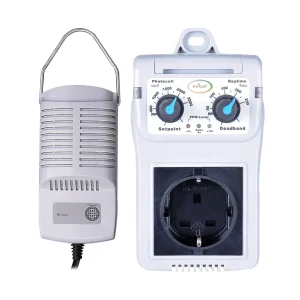
DimLux / OptiClimate Maxi Controller EVO Fan Controller & Aux Box
£638.00
Optimize your grow with DimLux / OptiClimate Maxi Controller EVO Fan Controller & Aux Box. In stock at Hydroponic Centre, 24-48 hours delivery.
Description
Introducing the DimLux / OptiClimate Maxi Controller EVO Fan Controller & Aux Box, a cutting-edge solution for precision climate control. Explore the key features in bulletpoints:
Key Features:
- Advanced Climate Management:
- Equipped with advanced sensors and algorithms for precise control over temperature, humidity, and CO2 levels.
- Integrated Fan Speed Control:
- Manage fan speeds dynamically based on real-time environmental data, optimizing airflow for plant health.
- CO2 Enrichment Capability:
- Allows for CO2 enrichment, promoting enhanced photosynthesis and increased yields during the flowering phase.
- User-Friendly Interface:
- Intuitive touchscreen interface for easy programming and monitoring of climate parameters.
- Customizable Setpoints:
- Tailor temperature, humidity, and CO2 setpoints to match the specific requirements of your cultivation environment.
- Automated Operation:
- Fully automated control ensures a stable and optimal climate, reducing the need for constant manual adjustments.
- Datalogging and Reporting:
- Built-in datalogging capabilities provide historical data, enabling analysis and optimization of cultivation conditions.
- Safety Features:
- Incorporates safety features such as alarms and shutdown protocols to safeguard plants from extreme conditions.
- Auxiliary Outputs:
- Multiple auxiliary outputs for connecting additional devices, enhancing the versatility of the climate control system.
- Compatibility with DimLux and OptiClimate Systems:
- Designed to seamlessly integrate with DimLux and OptiClimate systems for a comprehensive cultivation solution.
- Remote Monitoring and Control:
- Remote access capabilities enable growers to monitor and adjust climate parameters from anywhere.
- High-Quality Construction:
- Robust construction and durable components ensure long-term reliability and performance.
- Proven Results and Positive Feedback:
- Backed by positive reviews, the Maxi Controller EVO is trusted by growers for its efficiency and effectiveness.
Elevate your indoor cultivation experience with the DimLux / OptiClimate Maxi Controller EVO Fan Controller & Aux Box.
Contains
1 box of DimLux / OptiClimate Maxi Controller EVO Fan Controller & Aux Box
How to use
1. Unboxing and Inspection:
- Carefully unbox the Maxi Controller EVO and Aux Box.
- Inspect all components to ensure everything is present and in good condition.
2. Connecting to DimLux or OptiClimate System:
- Connect the Maxi Controller EVO to your DimLux or OptiClimate system using the provided cables.
- Ensure secure connections for seamless integration.
3. Powering On:
- Power on the Maxi Controller EVO by connecting it to a stable power source.
- Confirm that the device powers up, and the touchscreen interface is responsive.
4. Setting Climate Parameters:
- Navigate the intuitive touchscreen interface to set desired parameters such as temperature, humidity, and CO2 levels.
- Customize setpoints based on the specific needs of your plants.
5. Adjusting Fan Speeds:
- Use the controller to adjust fan speeds based on real-time environmental conditions.
- Optimize airflow for consistent and healthy plant growth.
6. CO2 Enrichment (If Applicable):
- If using CO2 enrichment, set and monitor CO2 levels using the controller.
- Enhance photosynthesis during the flowering phase for increased yields.
7. Datalogging and Monitoring:
- Take advantage of the datalogging feature to review historical climate data.
- Monitor real-time conditions to ensure the system is maintaining the desired parameters.
8. Safety Features:
- Familiarize yourself with the safety features, including alarms and shutdown protocols.
- Set up alerts to notify you of any deviations from the specified parameters.
9. Remote Monitoring:
- If applicable, set up remote monitoring to access and control the Maxi Controller EVO from anywhere.
- Stay connected to your cultivation environment even when you’re not physically present.
10. Connecting Auxiliary Devices:
- Utilize the auxiliary outputs to connect additional devices such as heaters, dehumidifiers, or other climate control equipment.
11. Routine Maintenance:
- Periodically check the system for any signs of wear or malfunctions.
- Keep the touchscreen interface and sensors clean for accurate readings.
12. Troubleshooting Tips:
- Refer to the user manual for troubleshooting tips if you encounter any issues.
- Contact customer support for assistance if problems persist.


Reviews
There are no reviews yet