
| Model | Xtreme LED 5m, Xtreme LED 10m, Maxi Controller 5m, Maxi Controller 10m |
|---|
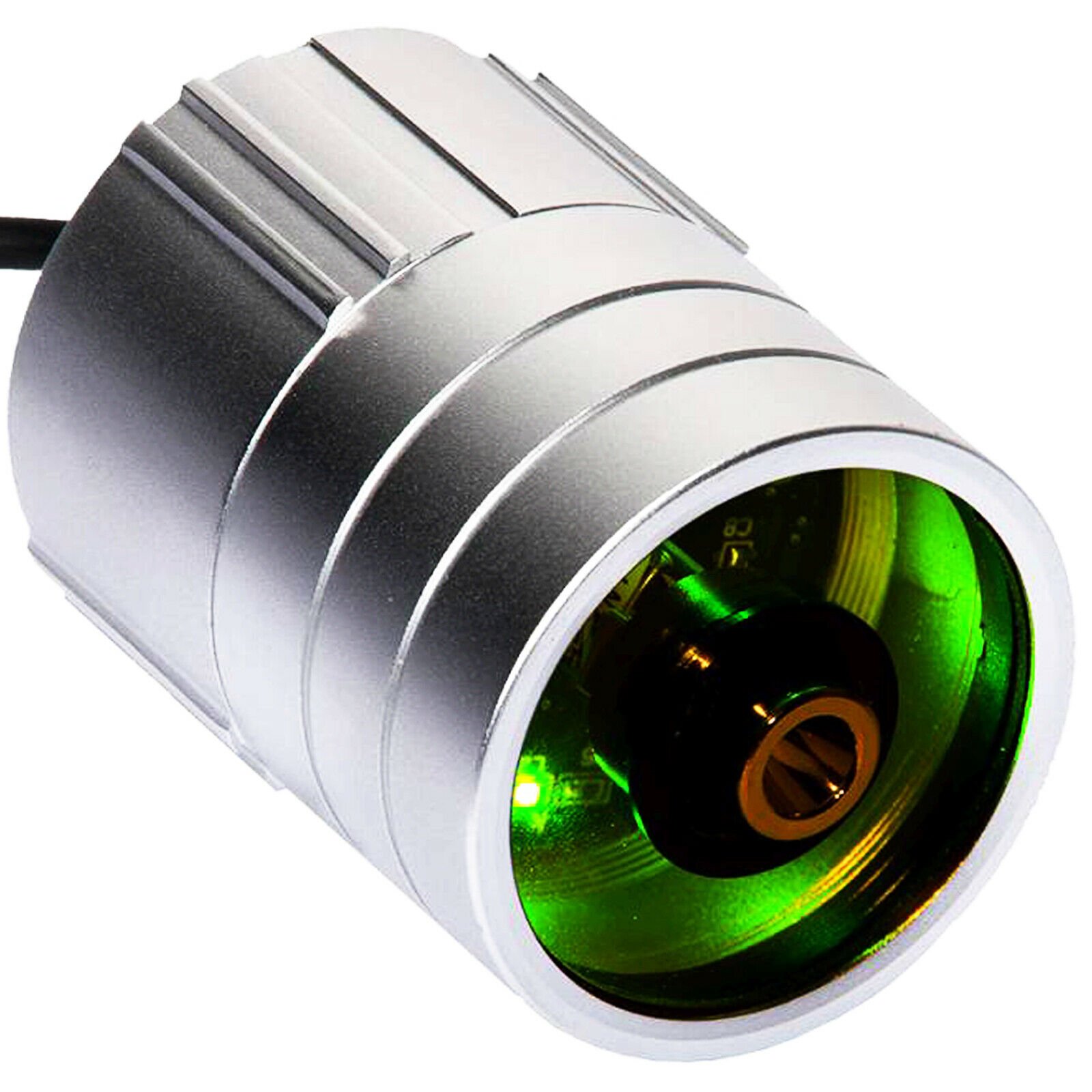
DimLux Plant Temperature Camera
Price range: £210.00 through £236.00
Enhance cultivation precision with DimLux Plant Temperature Camera. In stock at Hydroponic Centre, 24-48 hours delivery.
Delivery within 1-3 working days
Delivery In Plain Packaging
Lots in Stock
Description
Introducing the DimLux Plant Temperature Camera, a state-of-the-art tool revolutionizing cultivation monitoring. Explore the key features that make this camera an essential asset for precision plant management:
Cutting-Edge Thermal Imaging:
- Harness advanced thermal imaging technology to monitor plant temperature dynamics.
- Gain unparalleled insights into your grow room, detecting temperature variations with precision.
Real-Time Temperature Mapping:
- Receive real-time temperature mapping of your plants and environment.
- Identify hotspots, cold zones, and ensure a balanced climate for optimal plant growth.
Wireless Connectivity:
- Enjoy wireless connectivity for seamless data transmission.
- Access temperature data remotely, enhancing convenience and accessibility.
User-Friendly Interface:
- Navigate the user-friendly interface effortlessly.
- Interpret temperature data with clarity, enabling quick and informed decision-making.
Customizable Alert System:
- Set customizable temperature alerts for proactive monitoring.
- Receive notifications on temperature deviations, allowing timely adjustments.
High-Resolution Imaging:
- Capture high-resolution thermal images for detailed analysis.
- Visualize temperature variations at a granular level, facilitating precise adjustments.
Integrate with Climate Control Systems:
- Seamlessly integrate the camera with existing climate control systems.
- Enhance automation by allowing the camera to influence adjustments for optimal conditions.
Comprehensive Data Logging:
- Benefit from comprehensive data logging for historical temperature analysis.
- Track trends, identify patterns, and refine environmental control strategies.
Easy Installation:
- Experience hassle-free installation with a straightforward setup process.
- Begin monitoring plant temperatures quickly, ensuring minimal downtime.
Durable and Reliable Build:
- Built with durability in mind, ensuring long-lasting and reliable performance.
- Withstands the rigors of indoor cultivation environments.
Multiple Viewing Angles:
- Capture temperature data from various angles with the camera’s flexibility.
- Adapt to different grow room layouts for comprehensive coverage.
Enhanced Security Features:
- Incorporate security features to protect sensitive temperature data.
- Safeguard your cultivation insights and maintain privacy.
Compatibility with DimLux Maxi Controller:
- Integrate seamlessly with the DimLux Maxi Controller for centralized environmental control.
- Enjoy a unified system for managing lighting, temperature, and other critical factors.
Optimize Plant Health and Yields:
- Maximize plant health and yields by maintaining an optimal temperature environment.
- Use temperature data to fine-tune growing conditions for superior results.
The DimLux Plant Temperature Camera is a game-changer in cultivation technology, providing growers with unprecedented insights into their plant environment.
Contains
1 box of your chosen DimLux Plant Temperature Camera model
How to use
1. Unboxing and Inspection:
- Carefully unbox the DimLux Plant Temperature Camera and inspect all components.
- Ensure that the camera is in good condition and all accessories are present.
2. Placement and Mounting:
- Identify strategic locations within your grow room for optimal temperature monitoring.
- Mount the camera securely using the provided mounting hardware.
3. Power Connection:
- Connect the camera to a power source using the included power cable.
- Ensure a secure and stable power connection for continuous operation.
4. Wireless Connectivity Setup:
- Configure the wireless connectivity settings of the camera.
- Connect the camera to your preferred wireless network for remote data access.
5. DimLux Maxi Controller Integration (Optional):
- If using the DimLux Maxi Controller, follow the integration instructions.
- Set up communication between the camera and the Maxi Controller for centralized control.
6. User Interface Navigation:
- Familiarize yourself with the user-friendly interface of the camera.
- Navigate through the menus to access temperature data, settings, and alerts.
7. Real-Time Monitoring:
- Start real-time monitoring of plant temperatures.
- Observe the temperature mapping and identify any variations or irregularities.
8. Customizing Temperature Alerts:
- Set up customized temperature alerts based on your desired thresholds.
- Receive notifications if the temperature deviates from the specified range.
9. Reviewing Historical Data:
- Explore the comprehensive data logging feature to review historical temperature data.
- Analyze trends and patterns to refine your cultivation strategies.
10. Adjusting Climate Control Settings:
- Use the temperature data to make informed adjustments to your climate control systems.
- Optimize conditions for plant health, growth, and productivity.
11. Security Features Configuration:
- Set up any security features offered by the camera to protect your data.
- Ensure the privacy and confidentiality of your cultivation insights.
12. Troubleshooting Tips:
- Refer to the user manual for troubleshooting tips if you encounter any issues.
- Contact customer support for assistance if problems persist.
13. Regular Maintenance:
- Periodically check the camera for dust or obstructions that may affect its performance.
- Keep the camera lens clean for accurate temperature readings.
Add a review
You must be logged in to post a review
Log In
Q & A
Ask a question
There are no questions yet




Reviews
There are no reviews yet